Sharing and customizing reports
Once you’ve found meaningful data in your reports, Google Analytics offers several ways to share or refer back to that report under the report name at the top.
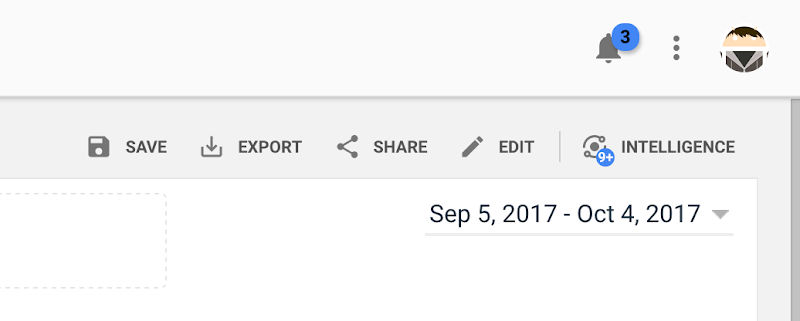
- “Save” lets you create a link to the specific report in the Customization area in the left-hand navigation under “Saved Reports.”
- “Export” lets you save a report to your desktop in different file formats such as PDF or CSV.
- “Share” lets you email a copy of the report as an attachment and even schedule regular email updates.
- “Edit” lets you customize the report content by adding metric groups, filters, or additional views. This creates a new report in the Customization area of the left-hand navigation under “Custom Reports.” We’ll cover Custom Reports in the advanced course.
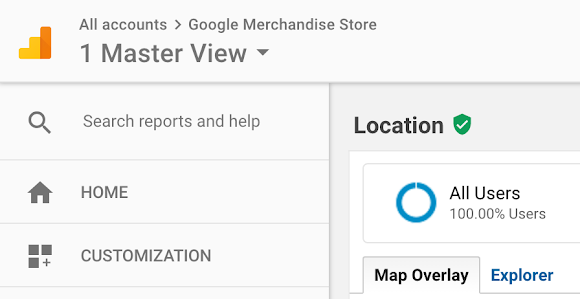
Hover over the green check icon next to the report name to view the percent of sessions that the report is based on. Sometimes, Analytics has to crunch through so much data, that in order to return your report faster, it will only analyze a sample of the data collected. This is called “sampling” because it returns an estimate of the exact count based on a sample of your data.
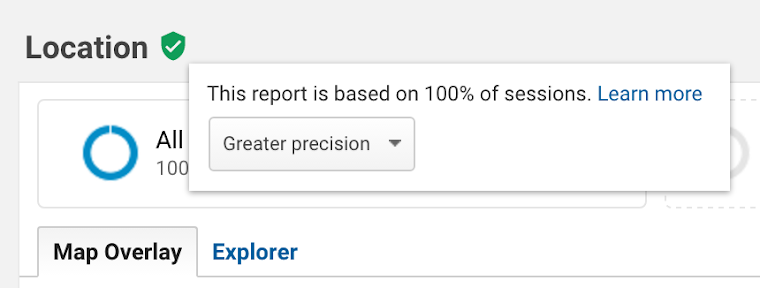
To change the report sampling rate, mouse over the green data quality icon and click the pulldown menu. If you want your data to be more accurate and don’t mind the additional response time, leave this set to “Greater Precision”. If you wish to speed up the time it takes to generate a report and are willing to sacrifice more precise metrics, select “Faster response.”
 Anthony Ku Ong